
Reauthorising Medication
To reauthorise medication:
- From the Patient Summary screen select Medication
 .
. - The Repeat Medication screen displays and defaults to Repeats.
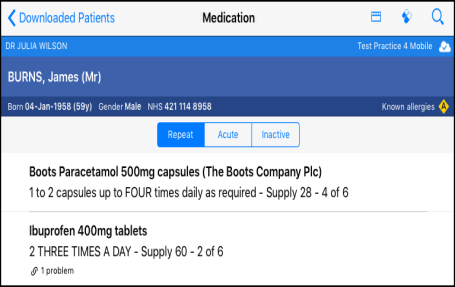
- To reauthorise repeat(s) select Reauthorise
 .
. - The Reauthorise Repeats screen displays and lists all repeats that require reauthorisation.
-
If you wish to exclude any items, swipe left.
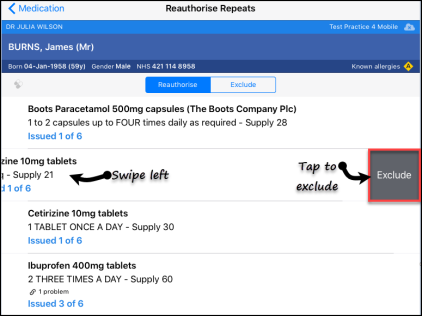
- Select Reauthorise to
reauthorise all repeats.
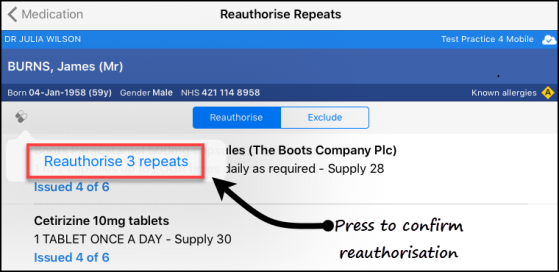
- Select Reauthorise n repeats to confirm reauthorisation.
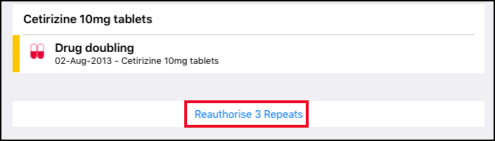
- The Decision Support screen displays, select Reauthorise Repeats to proceed.
- As the repeats are being authorised a message displays on the screen.
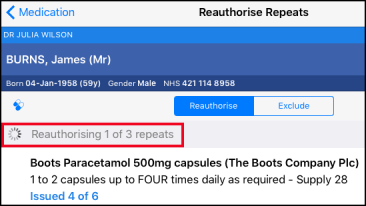
- The medication is reauthorised and removed from the Reauthorise Repeats screen.

